Talk to Your Documents#
Overview#
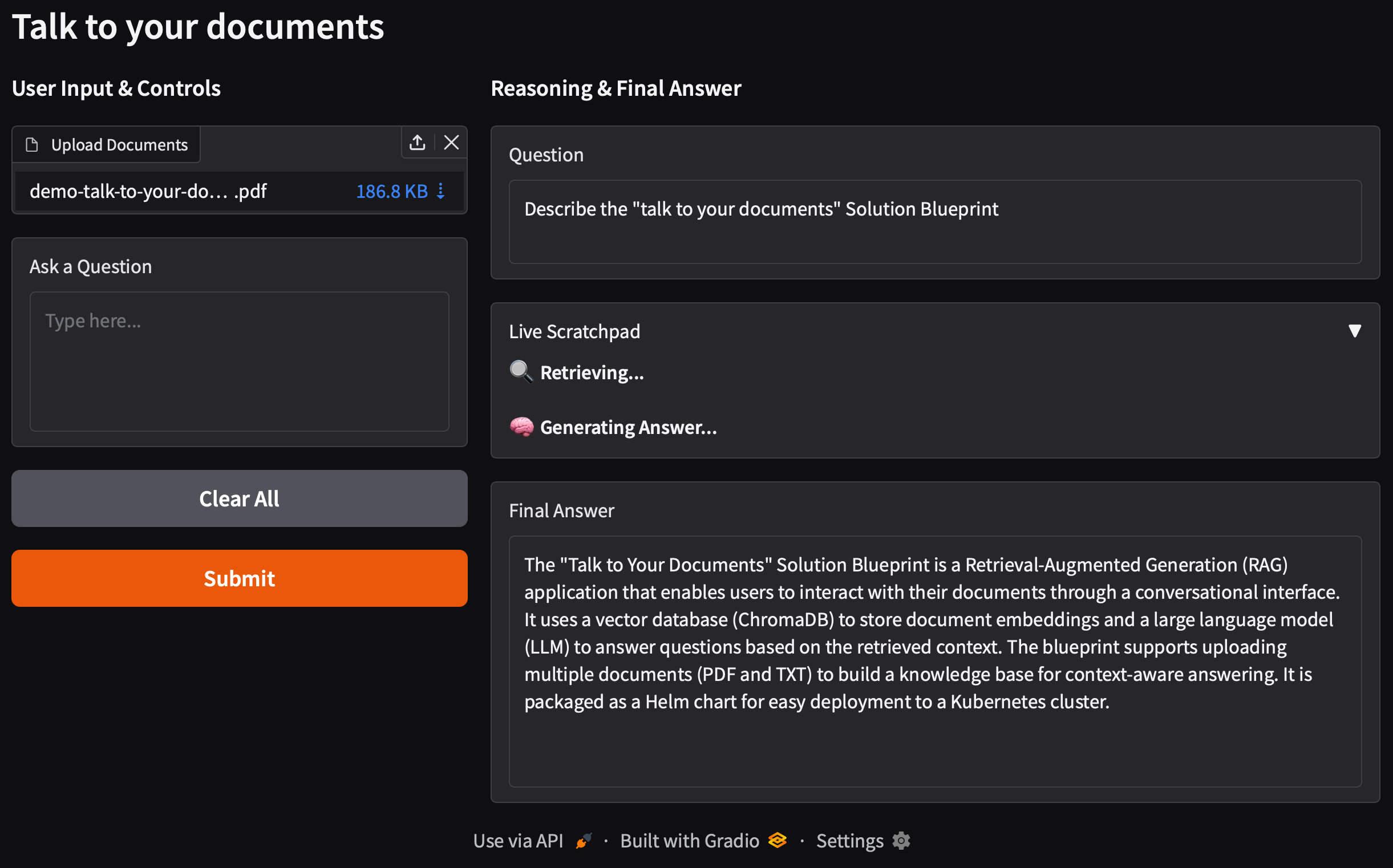
This Solution Blueprint deploys a Retrieval-Augmented Generation (RAG) application that lets you chat with your documents. It uses a vector database (ChromaDB) to store document embeddings and a Large Language Model (LLM) to answer questions based on the retrieved context.
AMD Solution Blueprints are packaged as Helm charts for deployment on a Kubernetes cluster. For development or further exploration, the source code is public and available in the Solution Blueprints GitHub repository.
Architecture#

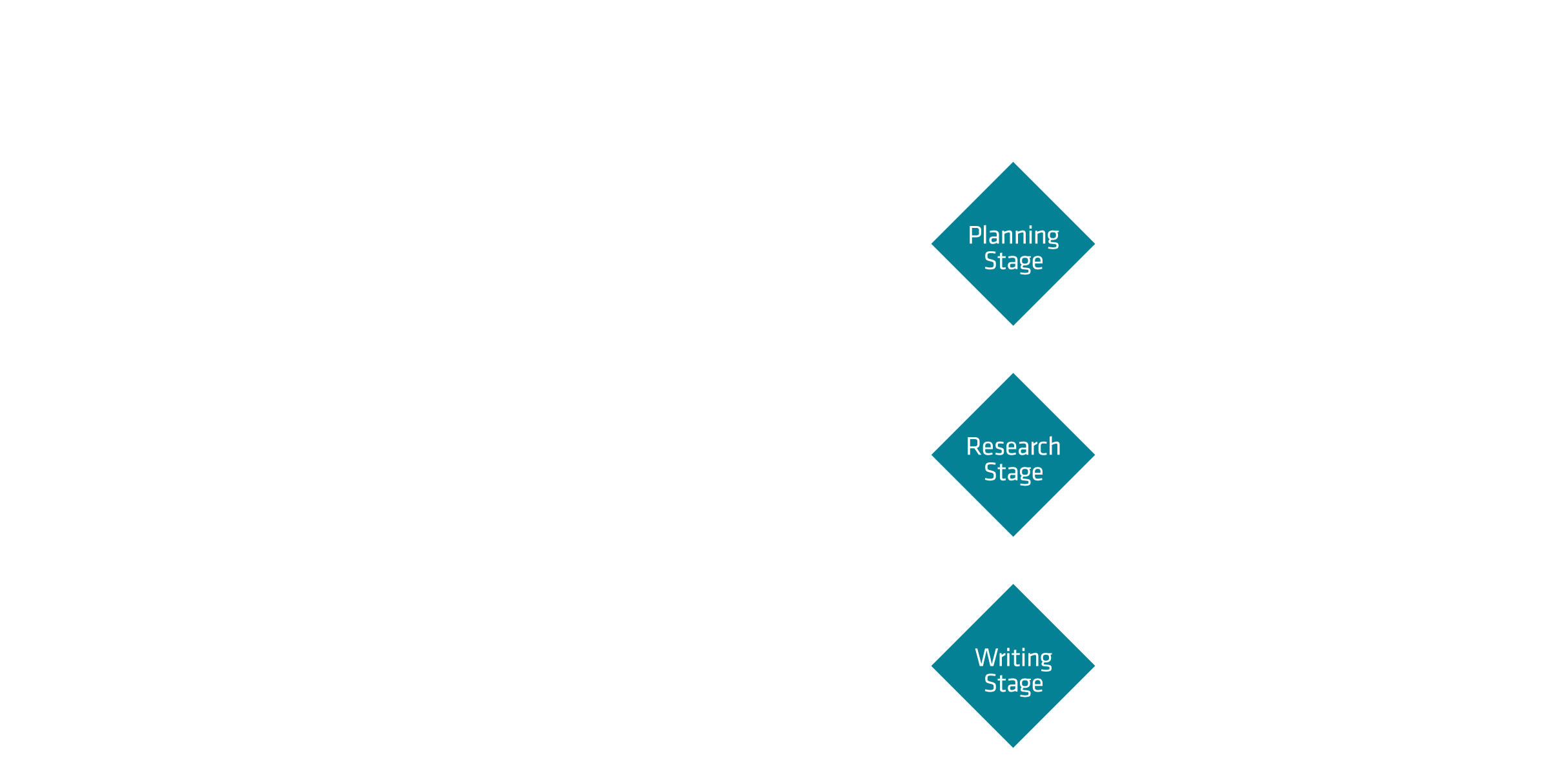
Users upload documents and ask questions through the web UI:
Uploaded documents are chunked, embedded, and stored in ChromaDB.
For each question, relevant chunks are retrieved from the vector store and passed as context to the LLM, which generates an answer.
Component |
Role |
|---|---|
Talk to your documents UI |
Web interface for uploading documents and asking questions. |
AIM |
Optimized LLM deployment for answer generation (default: Llama 3.3 70B Instruct). |
Embedding model |
A vLLM-based embedding server that generates document embeddings. See the application chart for its documentation. |
ChromaDB vector store |
Vector database for storing and retrieving document embeddings. See the application chart for more information. |
Key Features#
Document-Based Q&A: Supports uploading multiple documents (PDF and TXT) to build a knowledge base for context-aware answering.
LLM-powered answers: Deployed with AIM (default: Llama 3.3 70B Instruct).
Getting Started#
This is a quick start guide on how to deploy the blueprint. For advanced options, such as reusing an existing AIM, providing a Hugging Face token, and more, see Deploying Solution Blueprints with Helm or explore the advanced deployment guide.
Prerequisites#
System Requirements#
This blueprint can be deployed on AMD Instinct (default), AMD EPYC, and AMD Radeon. The blueprint requires the following cluster resources by default, depending on the hardware being used:
Resource |
Instinct |
Radeon |
EPYC |
|---|---|---|---|
GPUs |
2 |
2 |
— |
CPUs |
11 CPU cores |
11 CPU cores |
223 CPU cores (default) |
RAM |
268 GiB |
76 GiB |
172 GiB |
To deploy to the Kubernetes cluster, ensure the following prerequisites are met:
Deployment#
For advanced deployment options, explore the advanced deployment guide. Solution Blueprints are packaged as OCI-compliant Helm charts in the Docker Hub registry and can be deployed to a Kubernetes cluster with a single command. Define the name (deployment name) and the namespace (Kubernetes namespace), then pipe the output of helm template to kubectl apply -f -.
Find the deployment command below. Note: You can create a namespace using kubectl create namespace <my-namespace>.
name="my-deployment"
namespace="my-namespace"
helm template $name oci://registry-1.docker.io/amdenterpriseai/aimsb-talk-to-your-documents \
  | kubectl apply -f - -n $namespace
EPYC runs the LLM on CPU (gpus=0, bf16, AIM_ALLOW_UNOPTIMIZED=true), sized via llm.cpus/llm.memory. The embedding service runs separately on CPU (aim-epyc-base serving intfloat/multilingual-e5-small), sized via embedding.resources. global.platform=epyc selects EPYC defaults for both components. The default EPYC AIM images are gated, so provide a Hugging Face token through a Secret.
name="my-deployment"
namespace="my-namespace"
kubectl create namespace $namespace
kubectl create secret generic hf-token --from-literal=hf-token=<YOUR_HF_TOKEN> -n $namespace

helm template $name oci://registry-1.docker.io/amdenterpriseai/aimsb-talk-to-your-documents \
  --set global.platform=epyc \
  --set llm.cpus=188 \
  --set llm.memory=128 \
  --set llm.env_vars.HF_TOKEN.name=hf-token \
  --set llm.env_vars.HF_TOKEN.key=hf-token \
  --set embedding.env_vars.HF_TOKEN.name=hf-token \
  --set embedding.env_vars.HF_TOKEN.key=hf-token \
  | kubectl apply -f - -n $namespace
Specify the CPU and memory resources here depending on your chosen LLM, hardware configuration, and performance needs.
Resource sizing note: Depending on your node it may be necessary to resize the LLM and embedding model resources. For example, the following parameters can be set to limit the embedding model’s cpu count and memory:
--set embedding.resources.requests.cpu=32 --set embedding.resources.limits.cpu=32 \
--set embedding.resources.requests.memory=32Gi --set embedding.resources.limits.memory=32Gi \
Performance note: On multi-socket EPYC nodes, configure the kubelet for NUMA alignment (CPU Manager
static, Topology Managersingle-numa-node, Memory ManagerStatic); otherwise the LLM’s and embedding service’s CPUs and memory can land on different NUMA nodes and vLLM runs effectively single-threaded.
name="my-deployment"
namespace="my-namespace"
helm template $name oci://registry-1.docker.io/amdenterpriseai/aimsb-talk-to-your-documents \
  --set global.platform=radeon \
  | kubectl apply -f - -n $namespace
Verify Deployment#
To check the status of the deployment, run:
kubectl get pods -n $namespace
Wait until all pods report Running and Ready. The application will be fully functional once the LLM, embedding, and ChromaDB services are up and running.
Connect to UI#
To connect to the UI, port-forward to 7860. The UI will then be available at http://localhost:7860 in your browser.
kubectl port-forward services/$name-aimsb-talk-to-your-documents 7860:80 -n $namespace
Clean Up#
When you are finished, remove the deployed resources using the same deployment command, with kubectl delete instead of kubectl apply. For example, for Instinct use the following command:
helm template $name oci://registry-1.docker.io/amdenterpriseai/aimsb-talk-to-your-documents \
  | kubectl delete -f - -n $namespace
Third-Party Components#
This Solution Blueprint utilizes multiple components. For third-party license information, refer to each component’s documentation. Key third-party components can be seen below:
Component |
License |
|---|---|
ChromaDB |
Apache 2.0 |
Gradio |
Apache 2.0 |
vLLM |
Apache 2.0 |
LangChain |
MIT |
Terms of Use#
AMD Solution Blueprints are released under the MIT License, which governs the parts of the software and materials created by AMD. Third-party Software and Materials used within the Solution Blueprints are governed by their respective licenses.