Video Search and Summarization#
Overview#
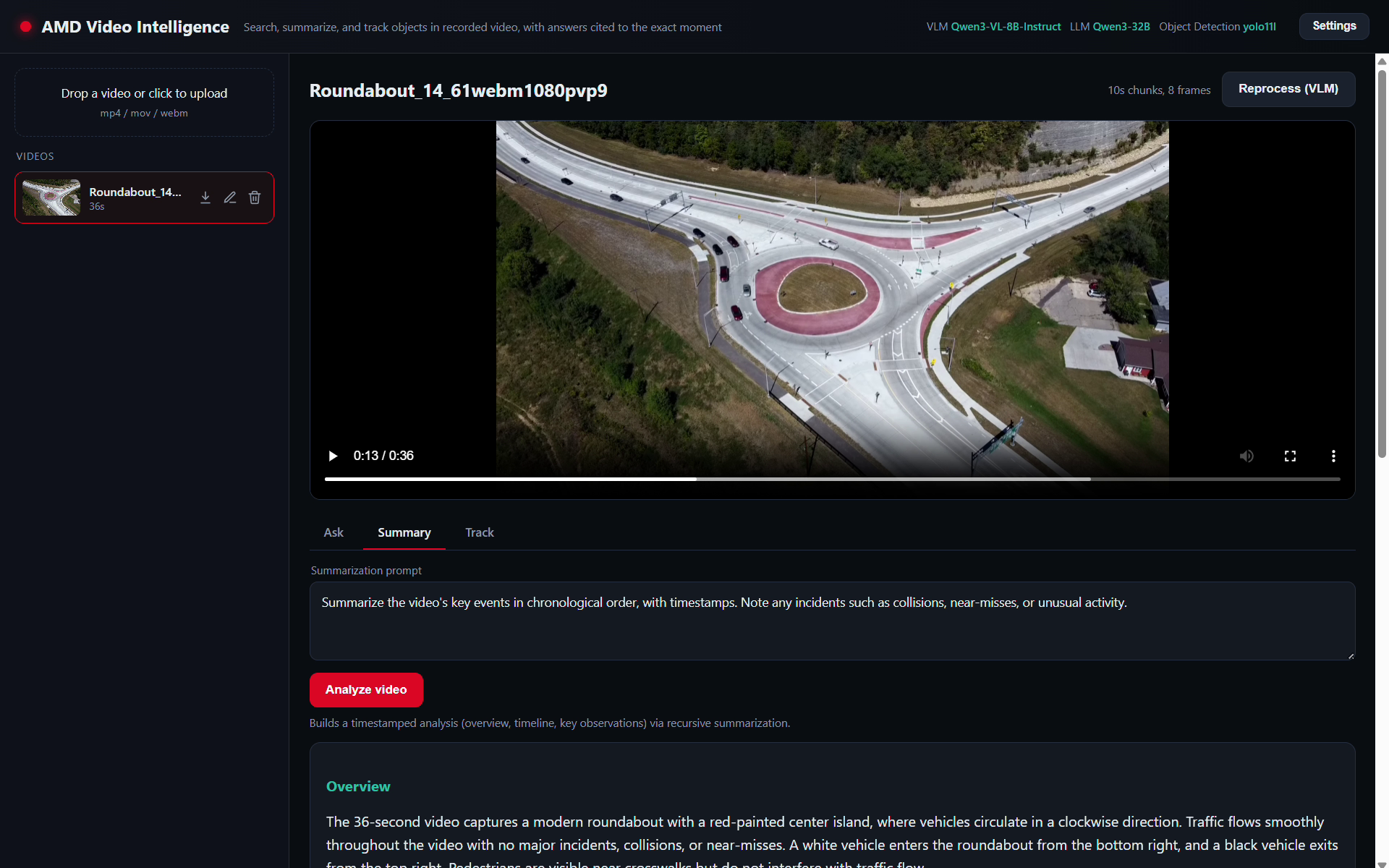
Video Search and Summarization makes large archives of recorded video searchable in plain language and summarizes them, entirely on your own infrastructure. A vision-language model captions short video segments, embeddings power hybrid retrieval over a vector database, and a large language model produces recursive summaries and answers questions that cite the exact moment in the video. An object detection and tracking pipeline adds bounding boxes and persistent IDs on a tracking-overlay copy of the video. Everything runs on AMD Instinct GPUs (ROCm) using open-weight models, so your video data never leaves your environment.
The workflow is:
Upload a recorded video. It is split into fixed-length segments; the vision-language model captions each one, produces structured tags, and a keyframe is saved per segment.
Caption text and keyframe images are embedded and stored in a vector database.
The LLM recursively summarizes segments into scenes and a video-level summary.
Questions are answered by hybrid retrieval (caption text plus keyframe image similarity), and each answer cites the
(segment, timestamp)it relied on. Q&A can span the whole archive.Optionally, run object detection and multi-object tracking on a video to draw boxes and IDs and make the tracked objects queryable.
AMD Solution Blueprints are packaged as helm charts for deployment on a Kubernetes cluster. For development or further exploration, the source code is public and available in the solution-blueprints GitHub repository.
Architecture#
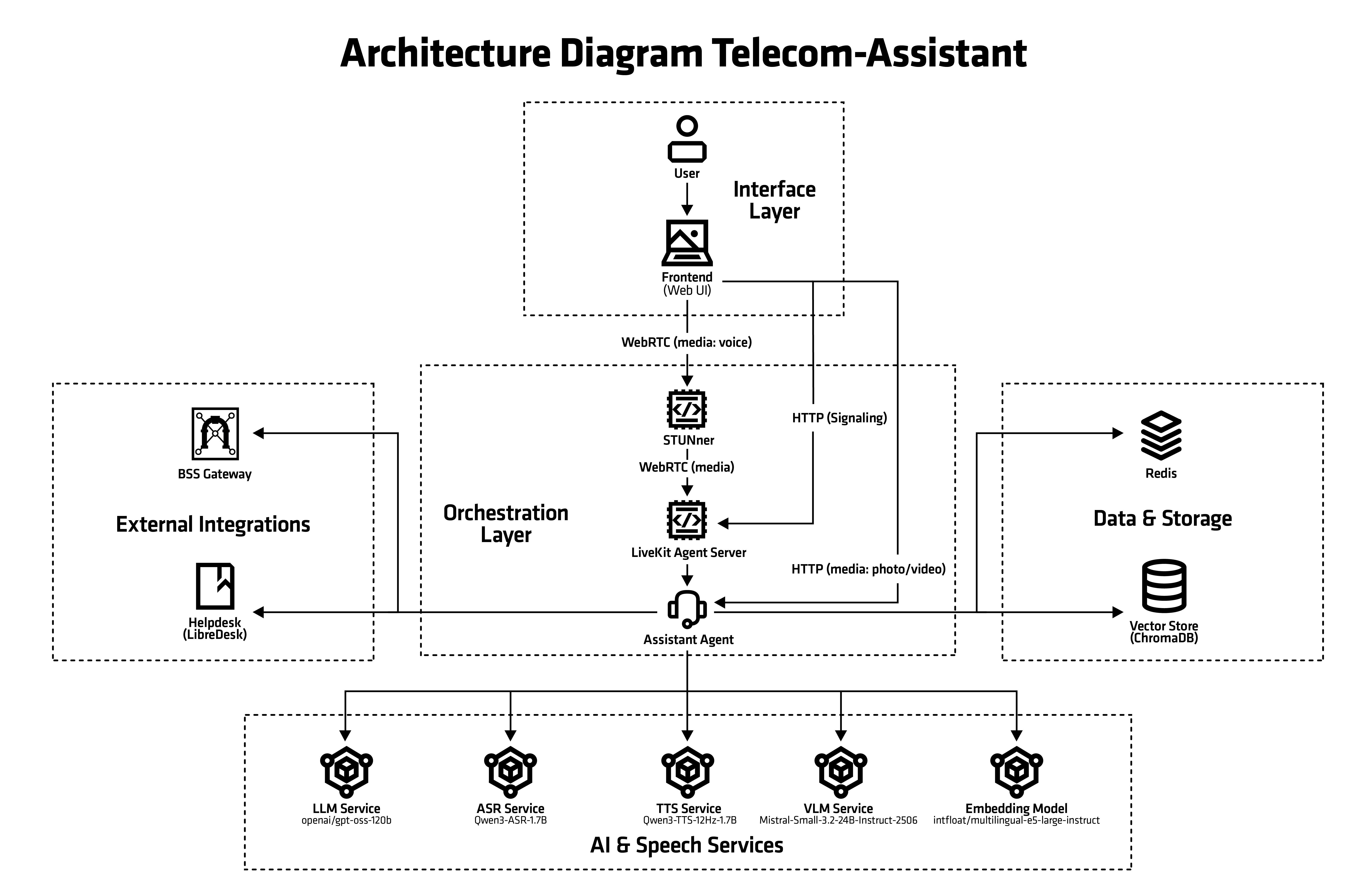

The blueprint integrates an application backend with a single-page UI and several model services. The vision-language model captions segments, the LLM produces summaries and grounded answers, text and image embeddings power hybrid retrieval in a vector database, and an object tracker adds detection and tracking overlays.
Component |
Role |
|---|---|
Application + UI |
FastAPI backend and single-page UI for upload, search, Q&A, summaries, and tracking |
VLM (captioning) |
Vision-language model that captions segments (default: Qwen3-VL-8B-Instruct) |
LLM (summaries + answers) |
AIM language model for recursive summaries and grounded answers (default: Qwen3-32B) |
Text embeddings |
Caption-text embeddings (BGE-M3), served by the embedding subchart (vLLM) |
Image embeddings |
Keyframe image embeddings (CLIP), served by the embedding subchart (vLLM) for hybrid retrieval |
Vector database |
ChromaDB store for captions and keyframe embeddings |
Object detection + tracking |
YOLO11 + ByteTrack tracker with on-video overlays |
Key Features#
Grounded, timestamp-cited answers, with an honest “I don’t know” when no segment supports an answer
A single configurable domain prompt that cascades to captioning, summarization, and Q&A
Archive-wide search across many videos
Object detection and tracking with an on-video overlay and queryable tracked objects
Configurable chunk length and keyframes-per-chunk
Runs on-premises on AMD Instinct GPUs with open-weight models
Getting Started#
This is a quick start guide on how to deploy the blueprint. For advanced options, such as reusing an existing AIM or overriding storage classes, see Deploying Solution Blueprints with Helm or explore the advanced deployment guide.
Prerequisites#
System Requirements#
This blueprint can be deployed on AMD Instinct. The blueprint requires the following cluster resources by default:
Resource |
Default Configuration |
|---|---|
GPUs |
5 (vision-language model, LLM, two embedding models, and tracker) |
CPUs |
54 CPU cores |
RAM |
248 GiB RAM |
To deploy to the Kubernetes cluster, ensure the following prerequisites are met:
Deployment#
Solution Blueprints are packaged as OCI-compliant Helm charts in the Docker Hub registry and can be deployed to a Kubernetes cluster with a single command. Define the name (deployment name) and the namespace (Kubernetes namespace), then pipe the output of helm template to kubectl apply -f -:
name="my-deployment"
namespace="my-namespace"
helm template $name oci://registry-1.docker.io/amdenterpriseai/aimsb-video-search-and-summarization \
  | kubectl apply -f - -n $namespace
Note: You can create a namespace using kubectl create namespace $namespace
Verify Deployment#
To check the status of the deployment, run:
kubectl get pods -n $namespace
Wait until all pods report Running and Ready. The vision-language model and LLM can take several minutes to load on first start.
Connect to UI#
To connect to the UI, port-forward to any chosen port, e.g., 8090. The UI will then be available at http://localhost:8090 in your browser.
kubectl port-forward services/$name-aimsb-video-search-and-summarization 8090:80 -n $namespace
Clean Up#
When you are finished, remove the deployed resources:
helm template $name oci://registry-1.docker.io/amdenterpriseai/aimsb-video-search-and-summarization \
  | kubectl delete -f - -n $namespace
Third-Party Components#
This Solution Blueprint utilizes multiple components. For third-party license information, refer to each component’s documentation. Key third-party components can be seen below:
Component |
License |
|---|---|
vLLM |
Apache 2.0 |
ChromaDB |
Apache 2.0 |
Ultralytics YOLO11 |
AGPL-3.0 |
BGE-M3 |
MIT |
CLIP |
MIT |
Terms of Use#
AMD Solution Blueprints are released under the MIT License, which governs the parts of the software and materials created by AMD. Third-party software and materials used within the Solution Blueprint are governed by their respective licenses.